
The CATIA 3DEXPERIENCE portfolio contains more than 50 roles that support user experiences in design, mechanical engineering, electrical engineering, hydraulic engineering, and systems engineering.
CATIA 3DEXPERIENCE provides a simple and intuitive environment for all types of design and engineering. Users now have an action bar at the bottom of the screen containing commands relevant to the current task.
These are intelligently organized into groups that reflect real-world workflows, making it easy to find the right function. Standard icons are used, ensuring quick user training and immediate productivity gains.
What's new in CATIA 3DEXPERIENCE R2015x?
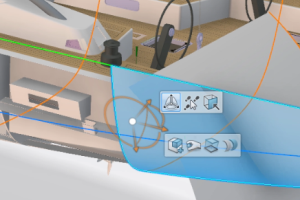
CATIA R2015x offers a new way to boost productivity with CATIA Generative Shape Design.
Enhanced intuitive user interface and new context-sensitive toolbar: Design precise parametric shapes more efficiently with fewer interactions. New immersive context-sensitive toolbar: Launch design commands based on the current selection (the context-sensitive toolbar offers relevant functions such as intersect, split, trim, or merge). Now it's easy to create geometry with direct manipulations using the context toolbar in combination with the robot, and get the function in the specification tree using the definition panel.
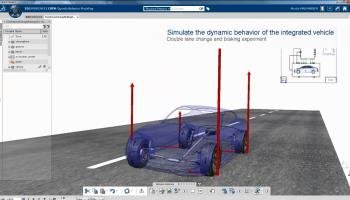
Dynamic modeling of systems with a mechatronics engineer
CATIA R2015x provides enhancements to system design, a product development process that combines multidisciplinary modeling, simulation, verification, and control.
Enhanced role of the mechatronics engineer. A simple example would be modeling and analyzing the initial acceleration of a mechanism from a static state in response to an applied load. Complete modeling and simulation of the physical properties of multidisciplinary systems that combine hydraulics, electronics, mechanics, and embedded software (e.g., a car's braking system).
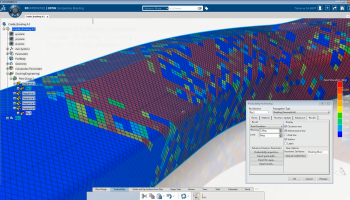
Composites Braiding Designer role for braiding process simulation
The new role enables the design of composite parts manufactured using a braiding process, where a spinning machine lays and interlaces composite fibers around a mandrel. The enhanced simulation environment allows designers to predict and visualize fiber trajectories on complex surfaces and optimize machine parameters to achieve the desired fiber orientation that meets mechanical requirements. Accurate mandrel shape generation is automated without physical prototyping and provides higher quality woven production parts.
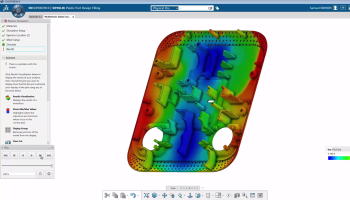
Plastic Mechanical Designer allows you to design complex parts with advanced plastic filling simulation capabilities.
This role allows you to design complex parts with advanced plastic filling simulation capabilities. The plastic simulation assistant helps users easily set up simulations with just a few clicks. Features such as injection points and mesh are described with minimal effort. Various plastic design indicators, such as dents and air traps, can be instantly analyzed to optimize the design. This allows you to design right the first time from a manufacturability perspective.
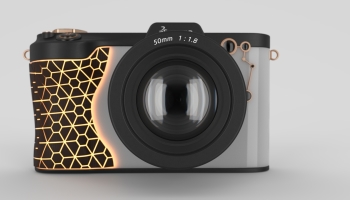
Visual Experience Designer provides higher photorealistic image quality and integration with creative works.
The feature provides “live” real-time rendering visualization so that designers can work directly in a realistic visual environment. Rendering and creating high-quality photorealistic images is as easy as using a camera. It provides an integrated user interface for managing environments, lighting, material application, and product visualization with interactive “global illumination” ray tracing algorithms for accurate design solutions.
Nvidia VCA support hardware extends interactive rendering capabilities. New features for the Artworks creative workflow include support for importing Adobe Illustrator SVG files and the ability to apply complex labels and textures to 3D objects.
CATIA expansion in the field of design and construction with 3 new roles
Concept Structural Designer: allows architects, civil engineers, and consultants to manage the overall layout of a building’s structure, including primary beams, secondary beam layout, and foundation elements.
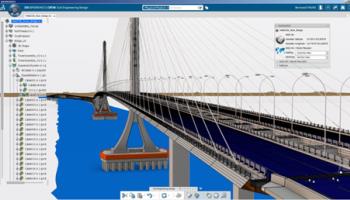
Civil Engineer: Design, analyze, and collaborate on civil infrastructure projects, such as those with typical characteristics such as scale and terrain, using an extensive set of applications. It also allows civil engineers to prepare for infrastructure design by creating a realistic 3D model of the land and underground structures.
Architectural Detail Designer: Provides a collaborative design environment where architects, planners, consultants, and building owners can work together.
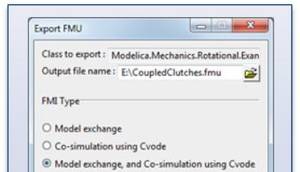
System openness thanks to FMI support
System engineers can benefit from greater openness thanks to new support for the Functional Mockup Interface (FMI) standard. FMI is an open standard for exchanging system models for model sharing and collaborative modeling. Export Modelica system models from CATIA as functional mockups (FMUs) for verification in another system, such as Hardware in the Loop (HIL) or Real Time Analysis (RTA) test environments. Similarly, FMUs can be imported from other tools for collaborative simulation of these system components in CATIA.

