

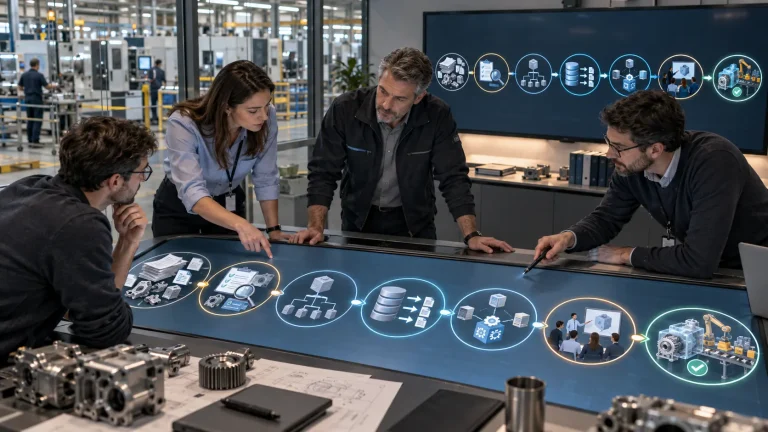
How a PLM system is implemented: 7 stages from audit to launch
What is PLM implementation and how long does…
Read more
Certified Dassault Systèmes partner — PLM and CAD implementation, licensing, and engineering services
GEO-MENTOR is a certified Dassault Systèmes partner specializing in the implementation of PLM and CAD solutions for engineering and manufacturing companies. Since 2017, the team has been helping companies implement SOLIDWORKS, CATIA, 3DEXPERIENCE, and other professional tools — from selecting the right licensing configuration to full-scale implementation and employee training.
The company acts as an engineering partner rather than a conventional software reseller. Before recommending a solution, GEO-MENTOR specialists analyze the client's existing workflows, data management methods, and collaboration requirements. This makes it possible to create a system that matches the company's actual manufacturing processes rather than simply offering ready-made licenses.
GEO-MENTOR's portfolio includes eight technology vendors — Dassault Systèmes, SOLIDWORKS, Altium, Bentley Systems, AWS, Google Cloud, GitLab, and Hexagon. This makes the company a multi-vendor integrator capable of covering the entire product lifecycle — from CAD modeling to cloud infrastructure and DevOps. The team implements and supports projects in Ukraine, EU countries, the Caucasus, and Central Asia, providing services in Ukrainian, English, German, Italian, and Russian.
What is PLM implementation and how long does…
Read more
What is SIMULIA for Startups and how much…
Read more
How PLM differs from ERP: a brief and…
Read more
What is SOLIDWORKS Inspection and how does it…
Read more
What is SOLIDWORKS Composer and how does it…
Read more
What is 3DEXPERIENCE and how does it differ…
Read more
What is a CAD/CAM system and how does…
Read more
How engineering software shortens the production automation cycle…
Read more
What is industrial automation in manufacturing Industrial automation…
Read moreOur engineers will analyze your processes and select the optimal configuration for your team.